
As a Project manager, you can decide at any time to close a project permanently.
In order to close a project, follow the instructions below :
- Go to the project Settings page
- Click on close the project
- Click on Confirm to validate
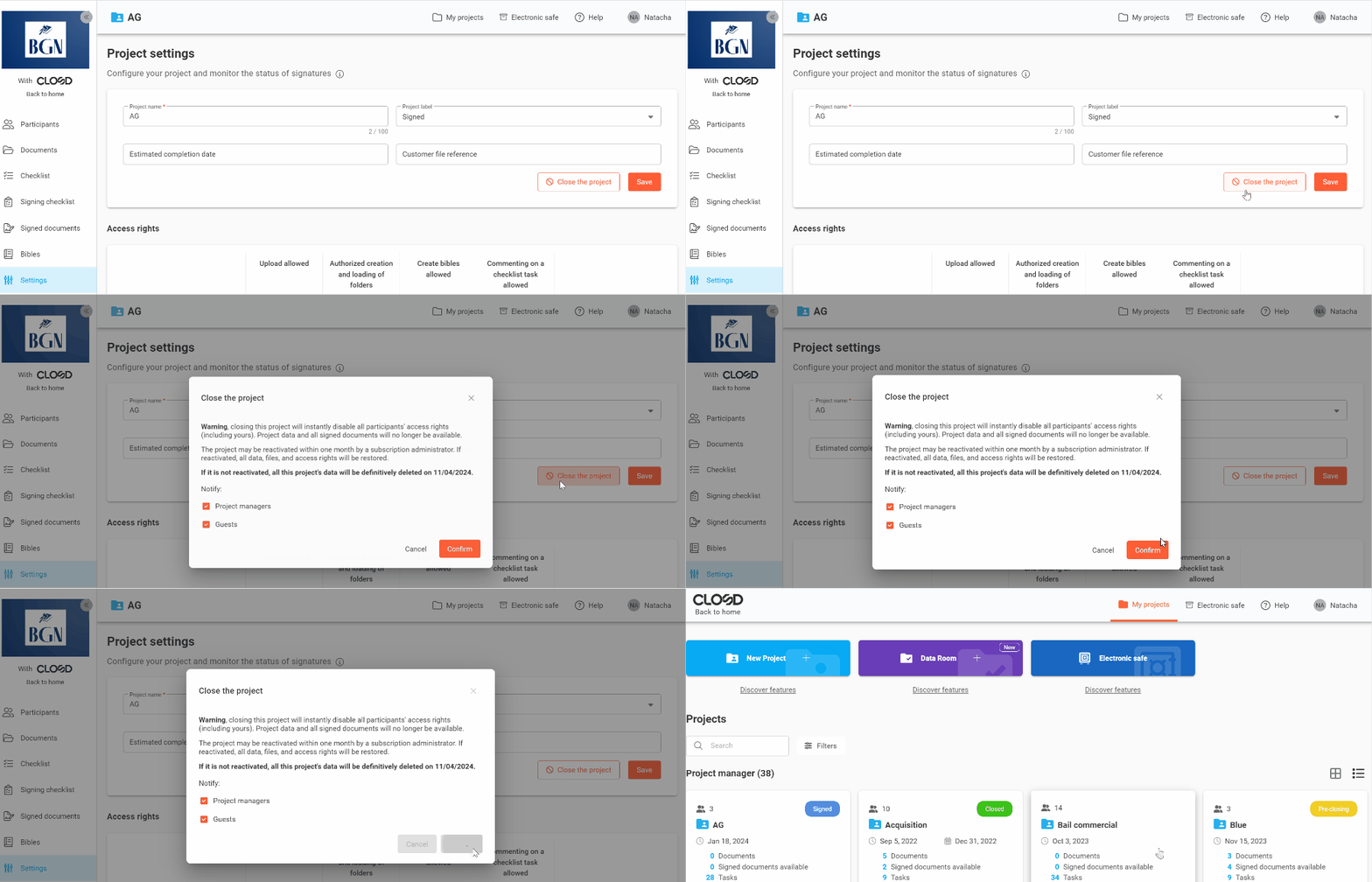
All Participants of the project will be notified by default via mail when a project is closed. You are able to disable the notifications before confirming the deletion.
What happens when I close a Project?
Closing a Project instantly deactivates access to the Project for all its Participants (including yours).
The Project can, however, be reactivated for a period of 30 days by a subscription Administrator ( to find out more, take a look at Can you reopen a closed Project? The data and access rights will then be identically restored.