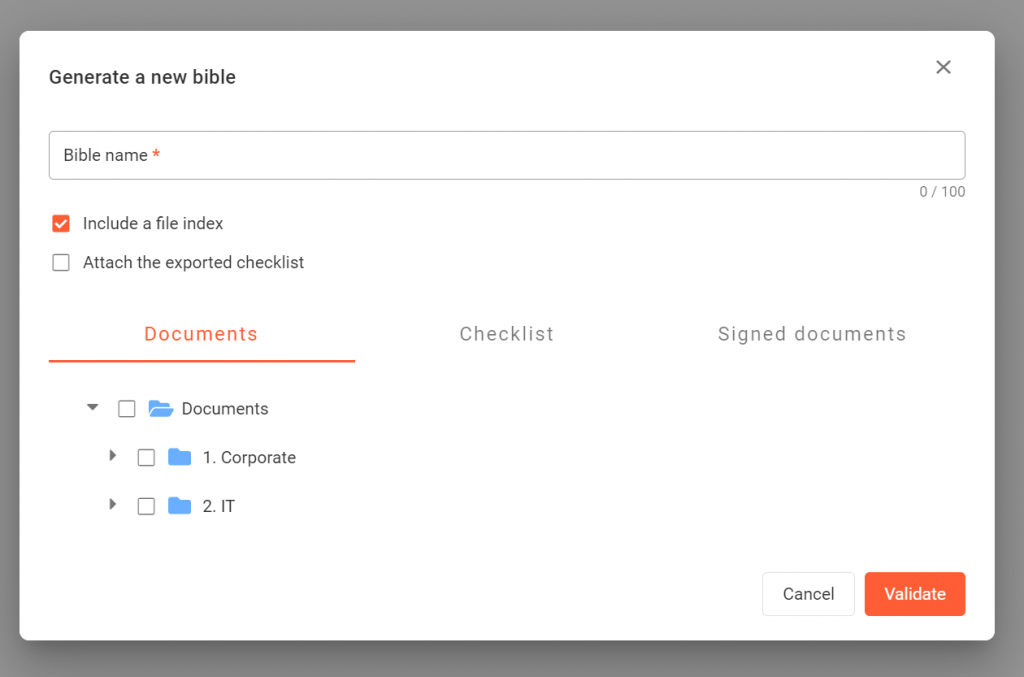
- Click on the button “Generate a Bible”
- Choose a name
- Personalize the content, you can include files from the Documents page, the checklist attachment or the signed documents page.
- Click on “validate”.
What documents can I include in a bible?
A Bible can contain any file that the user who creates it has access to.
As a Project Manager, you have access to all a Project’s files. You can therefore include any or all of the following in a Bible:
- Files from the Documents page (data room);
- Files attached to the Checklist; and
- Signed documents.
Who can generate Bibles?
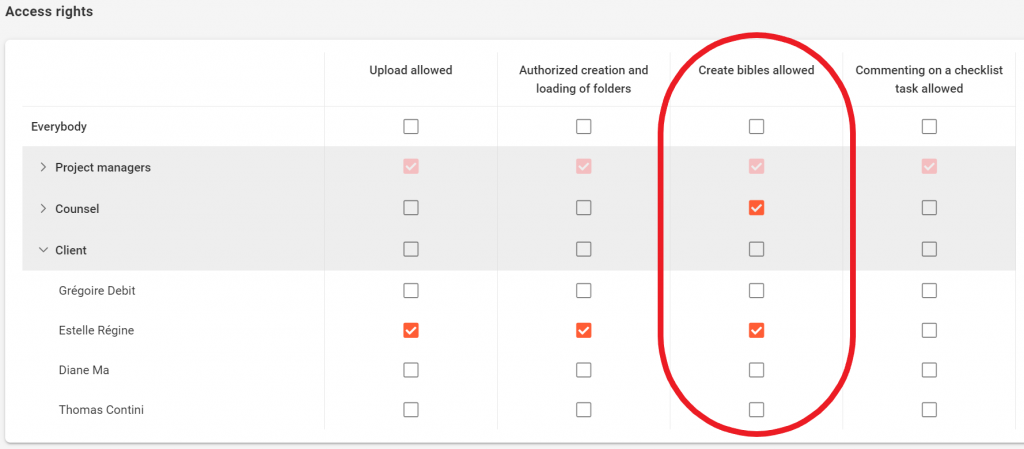
By default, only Project Managers can generate Bibles. Projects managers can also create a bible if they are checked in the access rights section of the Settings page but only with files to which they have access.