
The Project Managers can enter a customer file reference for each project.
How do I enter a customer file reference?
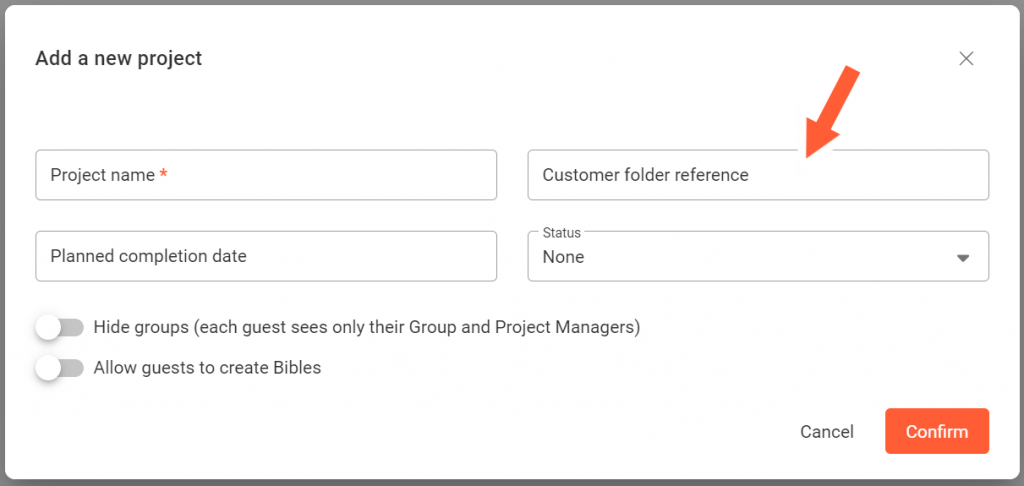
When creating a new project
On the Settings page
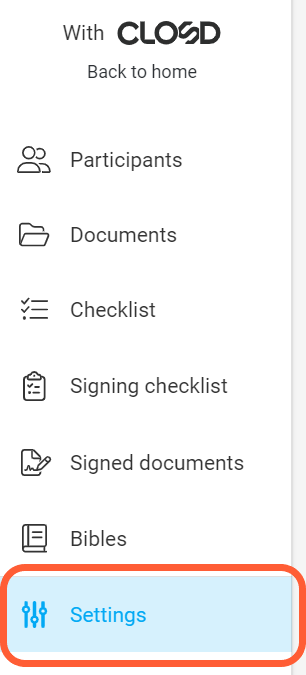
Step 1: Go the the Settings page
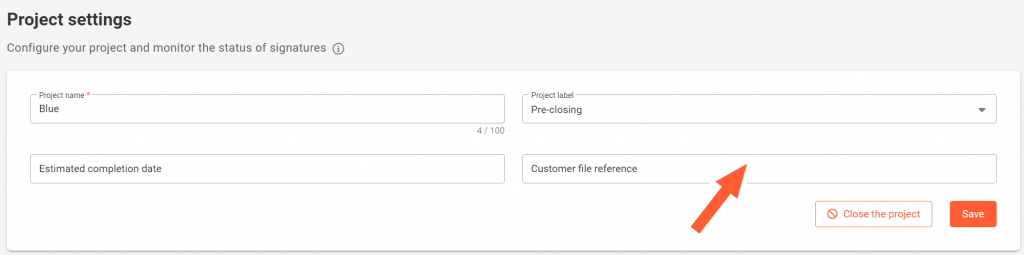
Step 2: Enter the Customer file reference then Click on Save
You can update the customer file reference at any time on the Project Settings page.
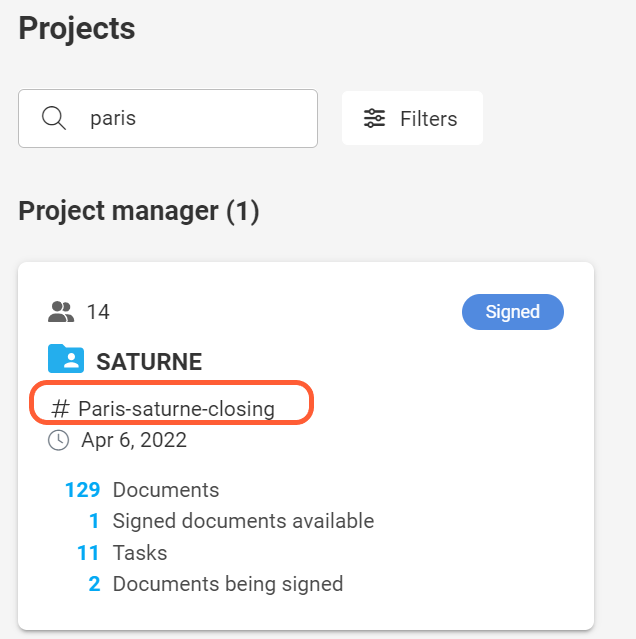
Customer file reference and Homepage
The customer file reference appears on the project card.
Customer file reference and Subscription page
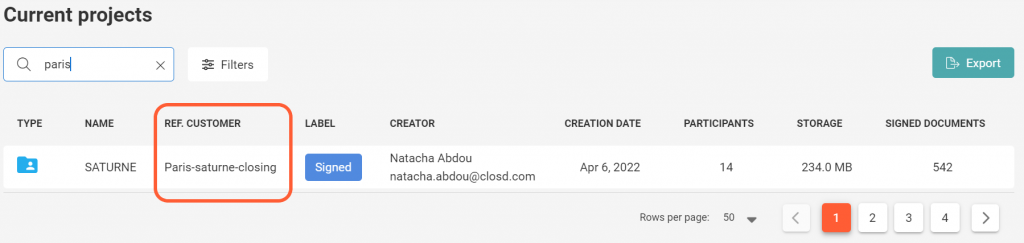
The current projects page on the Subscription section allows the administrators to view the list of all the active project within their subscription.
On the current projects page you will find a column named customer file reference.
Customer file reference and Electronic safe
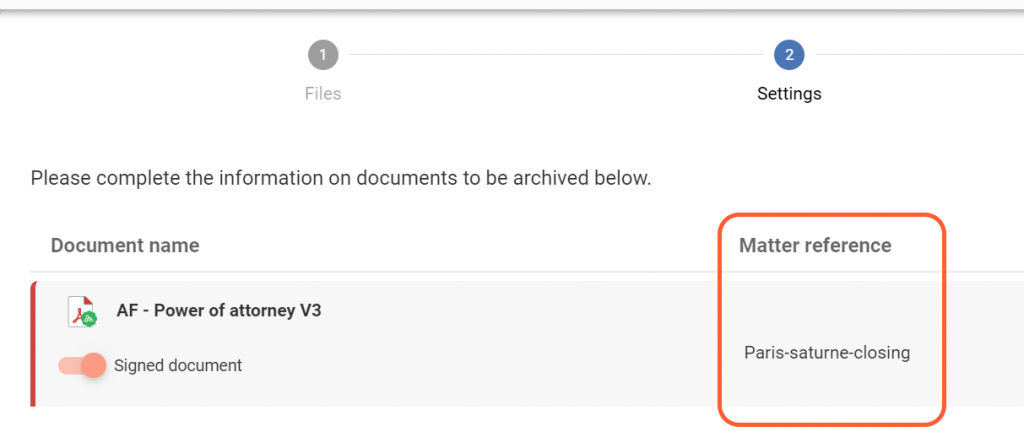
When archiving your documents from the electronic safe, the customer file reference entered on the Settings page is automatically applied to the selected documents you are about to archive.
You won’t have to manually enter the reference for each document.
Customer file reference and your invoices
The customer file reference will also appear on your invoices.
You can therefore indicate an internal reference or a customer code, which will facilitate re-invoicing, for example.