Closd – FAQ
  • English
  • Deutsch
  • Français
  1. Home
  2. Knowledge Base
  3. Closd Legal Project
  4. I am a Guest
  5. Managing my profile.
  6. How to update my mobile phone number?
  1. Home
  2. Knowledge Base
  3. Closd Legal Project
  4. I am a Project Manager
  5. Managing your profile
  6. How to update my mobile phone number?
Searching...

How to update my mobile phone number?

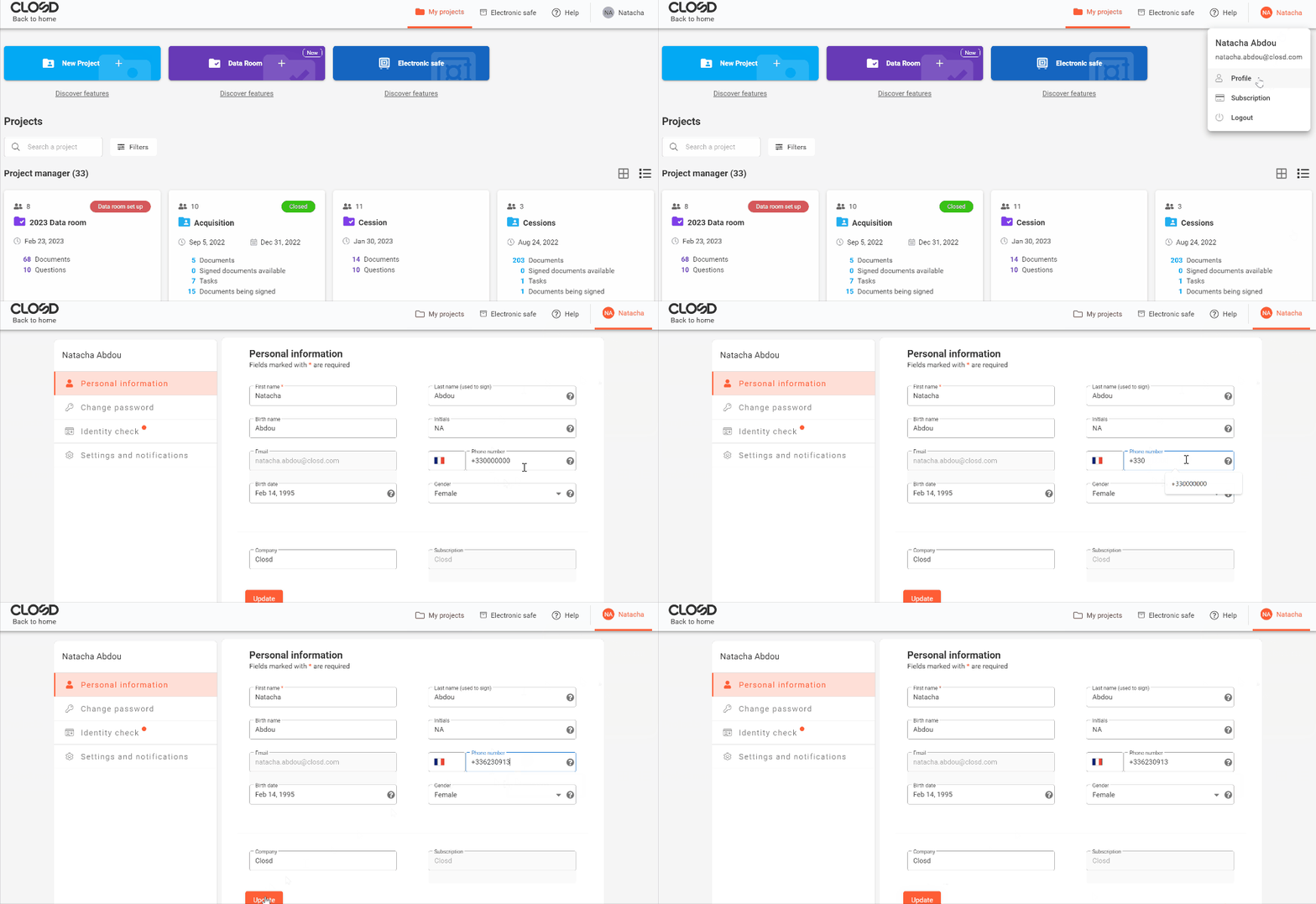
Each user can go to their own Profile to modify their mobile phone number.

To sign a document with advanced electronic signature, it is mandatory to provide a valid mobile phone number to receive a sms code.

  1. Go to your Profile by clicking on your name at the top right of the interface
  2. On the Personal Information Page, modify your mobile phone number in the dedicated field. If you also need to change the area code, click on the flag and select the right area code
  3. Click on Update

A Project Manager is not allowed to modify the mobile phone number of another participant.

Was this article helpful?

Yes No

Related Articles

  • How to complete your ID check on Closd?
  • How do I change the interface language?
  • How do I modify my personal information and proceed with my ID verification?
  • How do I manage my notifications?
  • How can I update my personal information?

If you have any queries, please contact us:

By email: 

support@closd.com

By phone:

+33 1 88 32 12 69

© Copyright Closd - KB.
  • English
  • Deutsch
  • Français