
Signatories who have not signed are automatically reminded on D+1 and D+4 from the start of the Signing Session. Project Managers can also send manual reminders from the Settings page, by going to the signature tracking section at the bottom of the page.
There are 3 ways to chase your signatories:
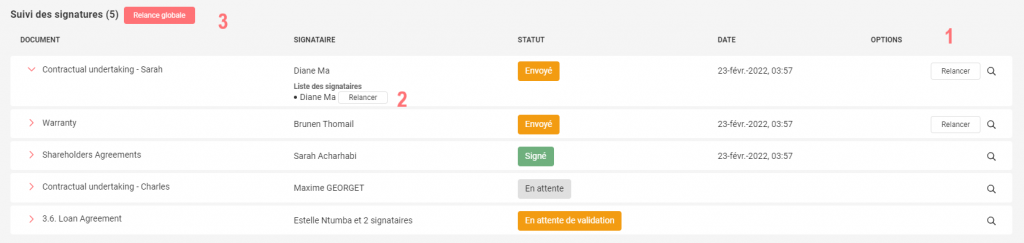
3 options to chase your signatories
- Chase all signatories of a document
- Chase only one signatory of a document
- Chase all signatories of the project at the bottom of the page
How to chase a validator?
Go to the bottom of your project Settings, in the Signature tracking you can chase your validators.
How? Click on the Chase button in the Validators column.
