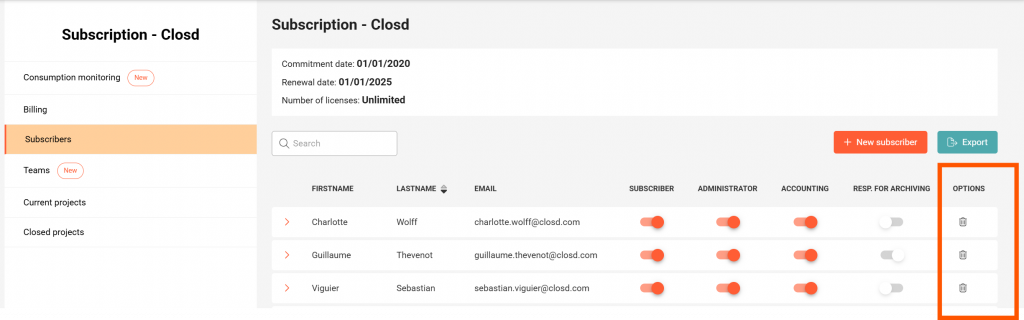
Only Administrators can add Subscribers, in the Subscription area. When adding a Subscriber, you will be asked to confirm the creation of a new license for your business, with the associated cost, if applicable. The overall license amount will then adjust automatically.
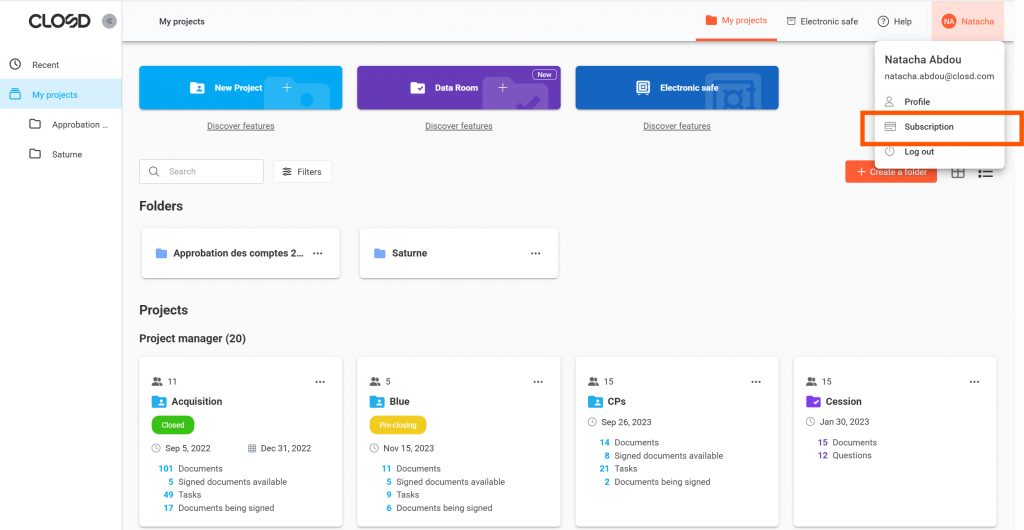
To access the subscription management area, an Administrator must click on their name at the top right of the interface, then on the Subscription button.
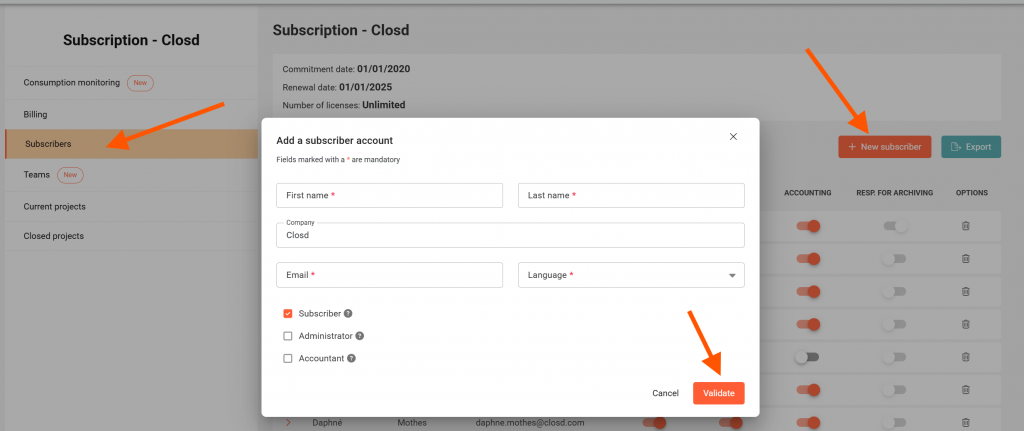
– To add a Subscriber, click on “New subscriber” at the top right of the Subscribers page and fill in the requested information.
– To delete a Subscriber, click on the icon 🗑️ to the right of the row of the Subscriber concerned. Their access to the Projects linked to the subscription will then be withdrawn, but their account will not be permanently deleted. The permanent deletion of the account and personal information can be requested by writing to privacy@closd.com