
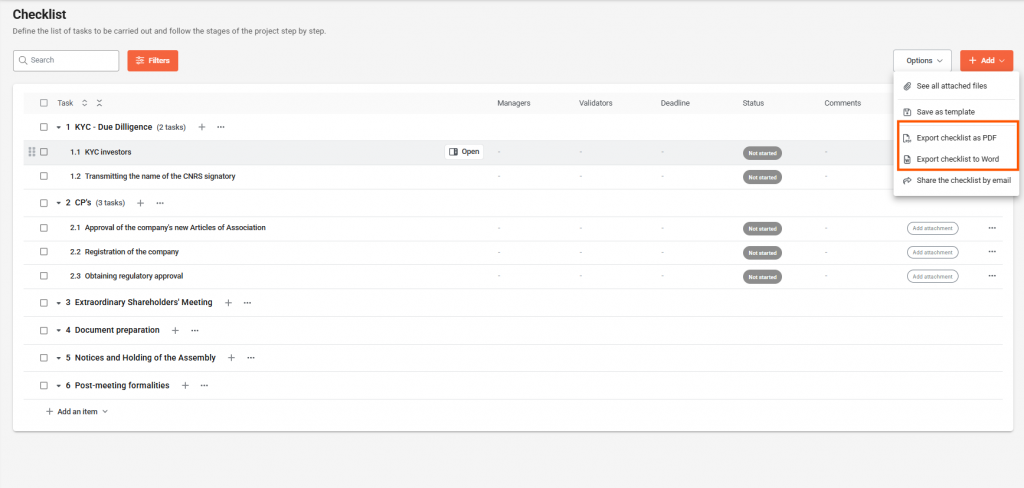
Export your checklist in Word or PDF format by clicking first on Options then Export to PDF or Export to Word at the top right of the Checklist page.
How to share a Checklist by email?
- On the Checklist page, click on Options and then Share Checklist by Email
- Choose the format (Word or PDF) and the Recipients
- Click on Share to confirm