
A document submitted for signature might be rejected by our electronic signature service providers for non-compliance. Unfortunately, this is beyond our control.
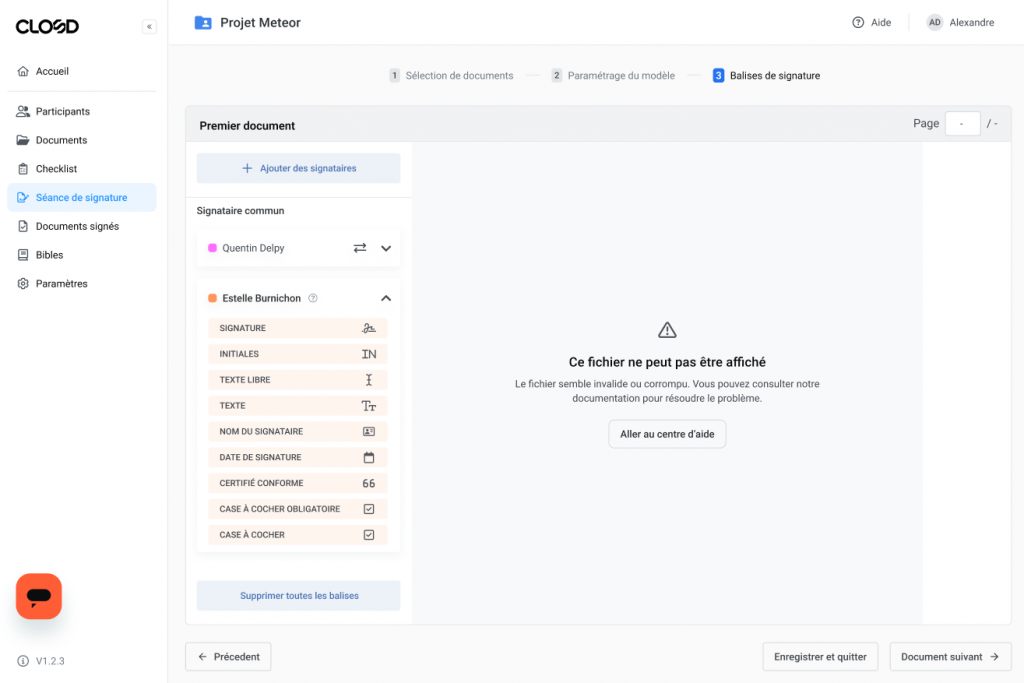
When setting the signature tag placement parameters, if the document is not compliant, the following message will appear :
When the document is rejected in the signing chcklist, the following error message appears as follows :

Here is an alternative option you can try to help resolve these two situations :
1 – Cancel the document to return it to draft status
2 – Print your document to PDF
3 – Replace the original document with the new PDF
How do I use the PDF printing function ?
- Open your file
- Select File -> Print
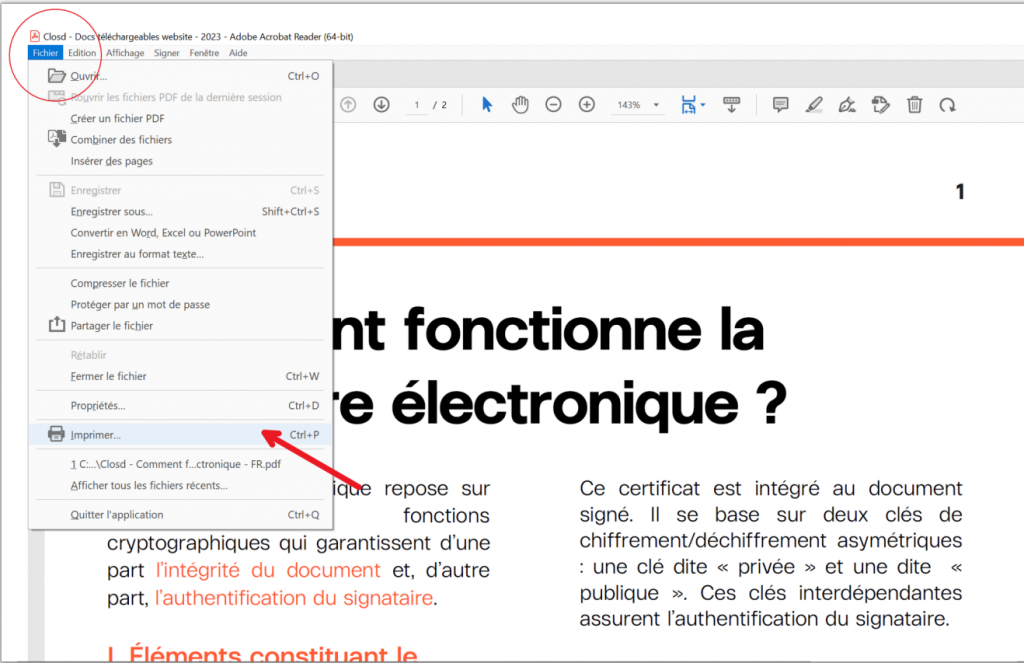
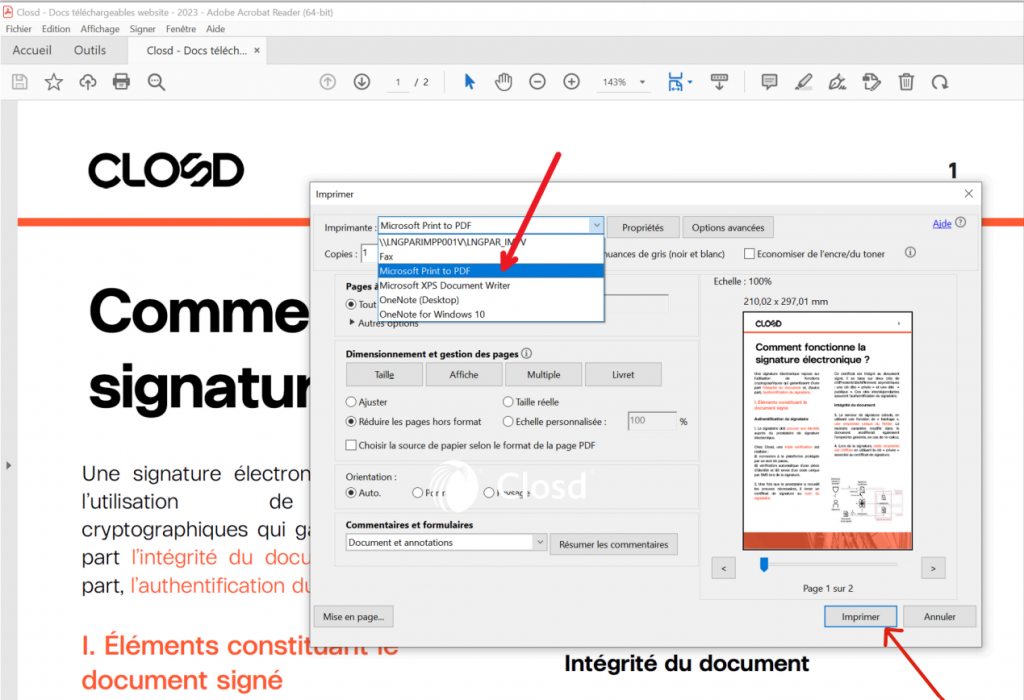
- Select Microsoft Print to PDF in the dialog box
- Click on Print and choose a name for your document
- Save your document in your working environment (desktop for example)
- Upload it back to your Closd personal space
- This will enable you to keep the signature tags that have already been set.
What should I do if the problem persists?
- You can change your electronic signature service provider on our platform or contact our support team.