Do you have a section 1 in your Checklist and want to create a sub-section 1.1? You can do so from the section line. Find out how in this article :
- Create your section.
- Add the sub-section by clicking on the “More” button on the same line as your section.
- Choose “Add a section”: a sub-section will be added below your section:

To add a task under the sub-section, click on the “More” button located at the sub-section level, and choose “Add a task”:
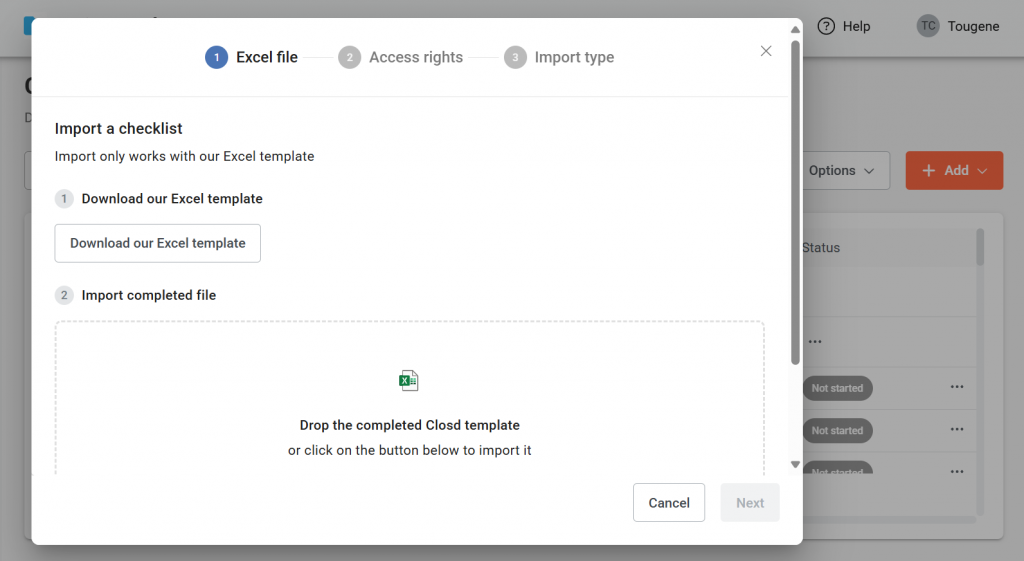
You can also import your checklist using the Excel template, which you can download and fill in with your sections, subsections and/or tasks, then upload to the Checklist page :

When should I import my checklist template?
You have an in-house template that you want to dematerialize on Closd
You want to create several sections, sub-sections and/or tasks at once.
How do I import a checklist?
Import a checklist using our Excel file
Download the Excel template
Import the completed template