
You made a mistake and you want to fix it? If your document is in Sent statut, you have to first cancel it and then reset it to draft status before you can make any changes.
Step 1: Cancel your document
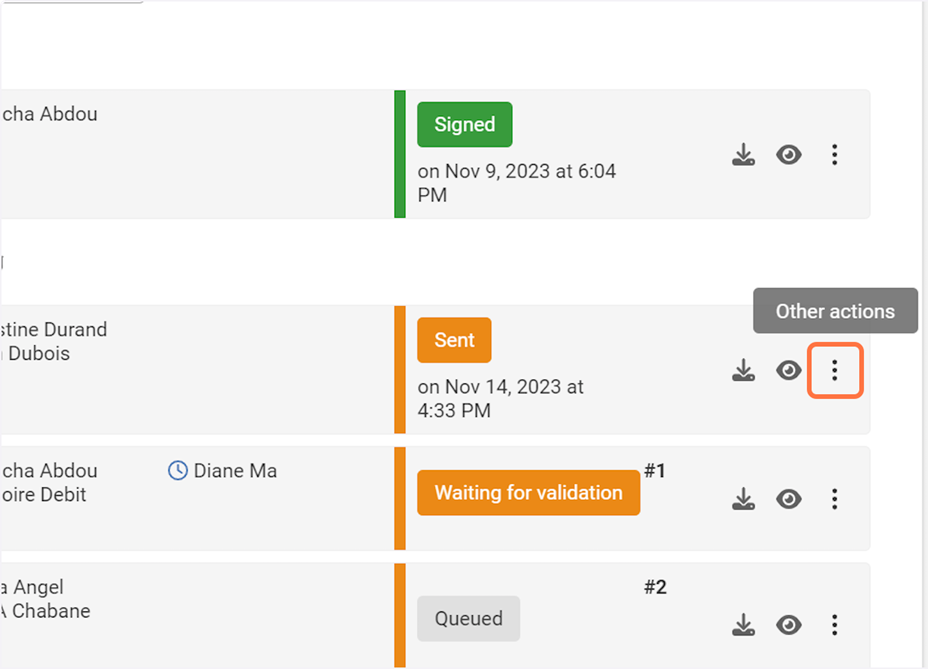
1. Click on the 3 dots to open the Other actions menu
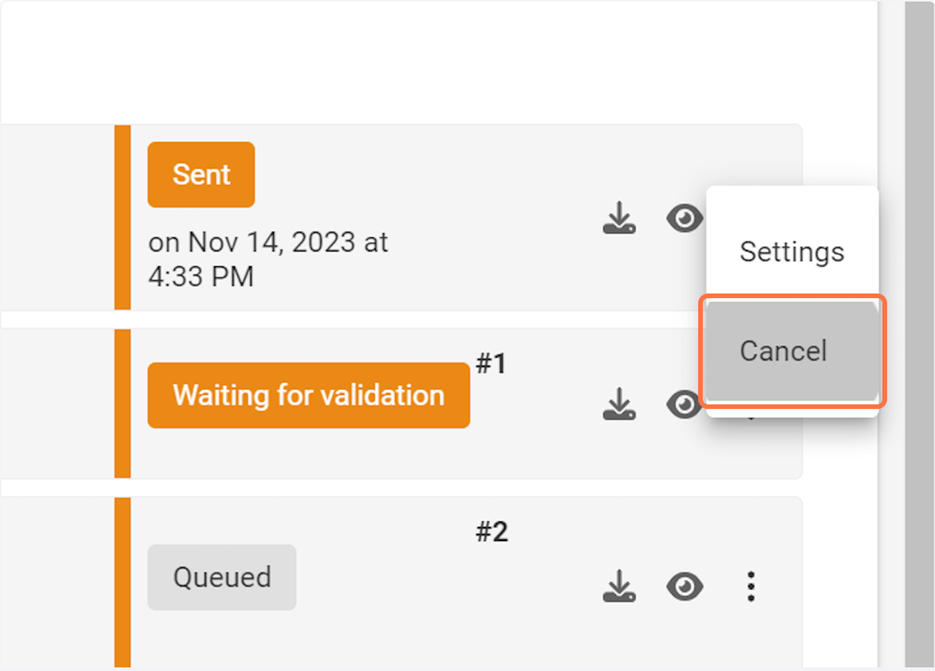
2. Click on Cancel
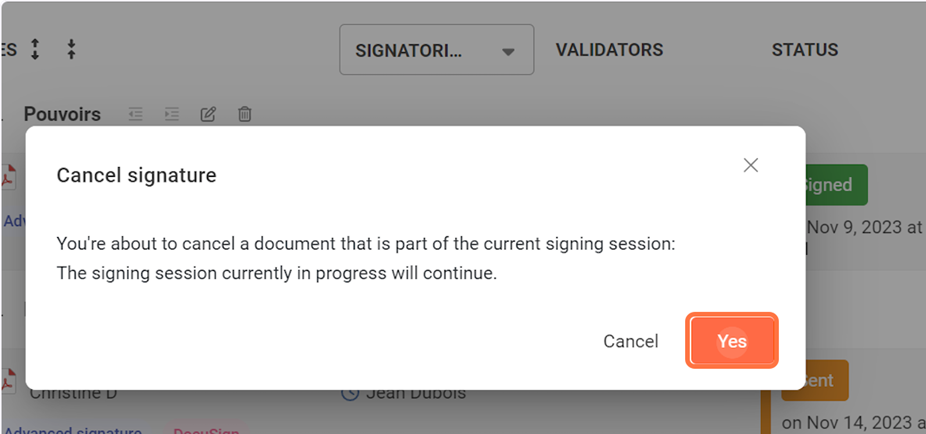
3. Click on Yes
Step 2: Reset to draft your document
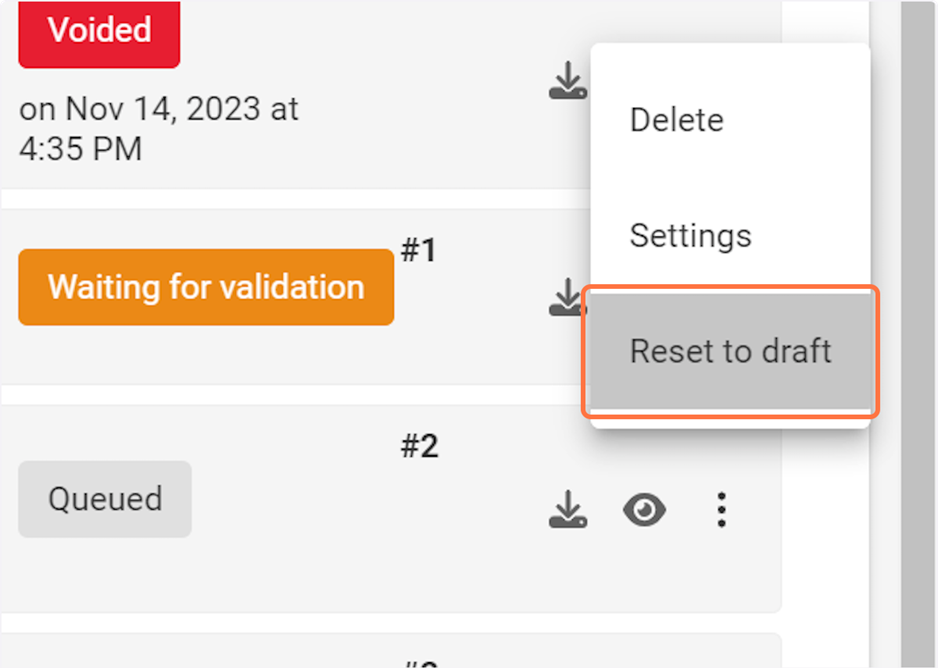
1. Click on the 3 dots to open the Other actions menu
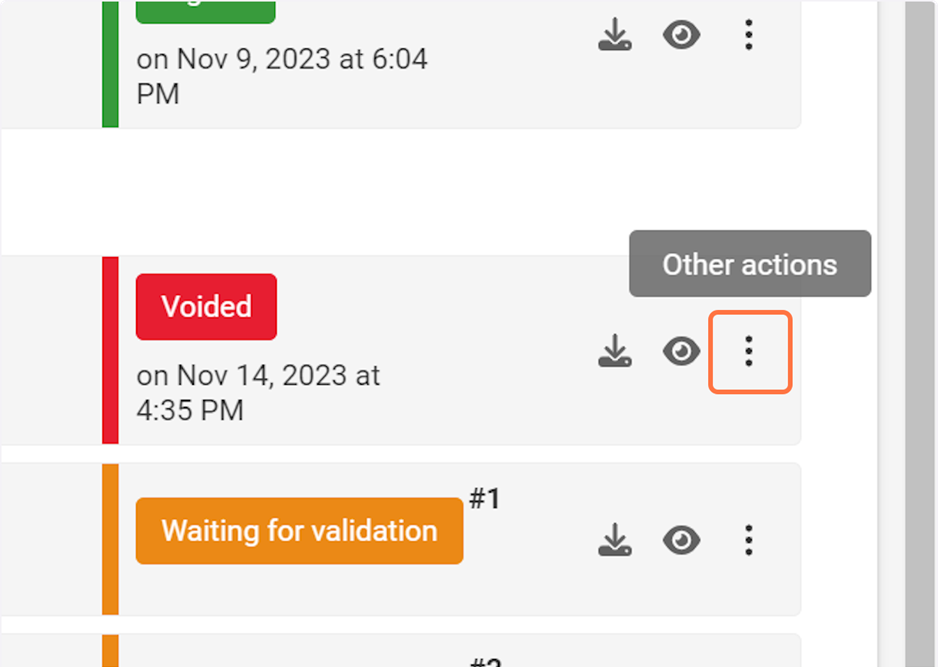
2. Click on Reset to draft
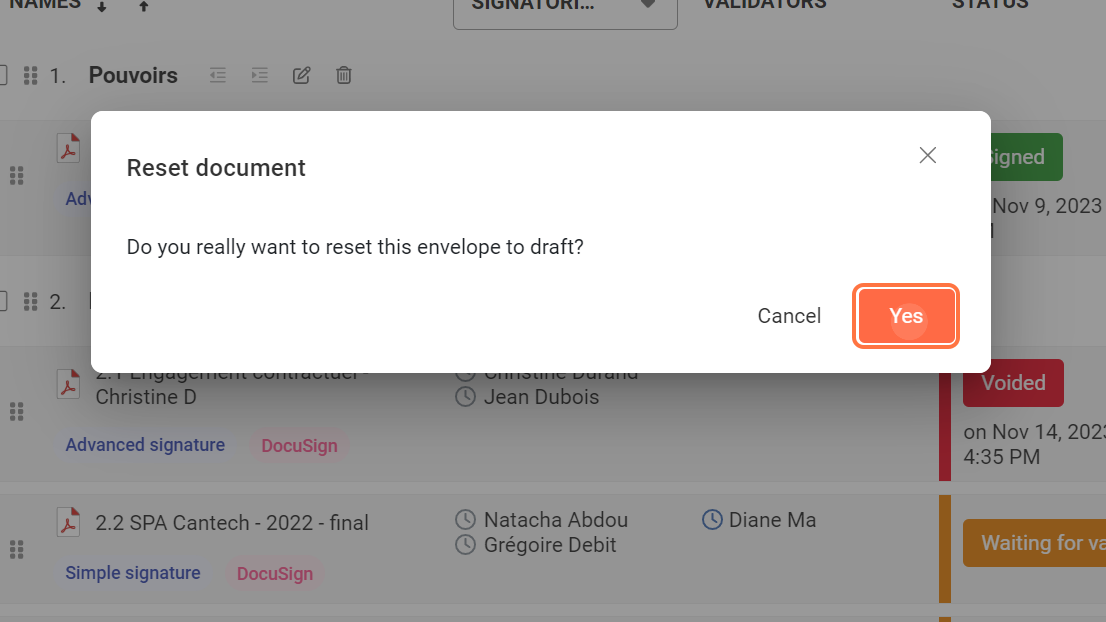
3. Click on Yes
Once the document is in Draft status, you can access its Settings and modify the type of signature or your signatories and validators.
To modify your tags, go to the Signature tags page.