
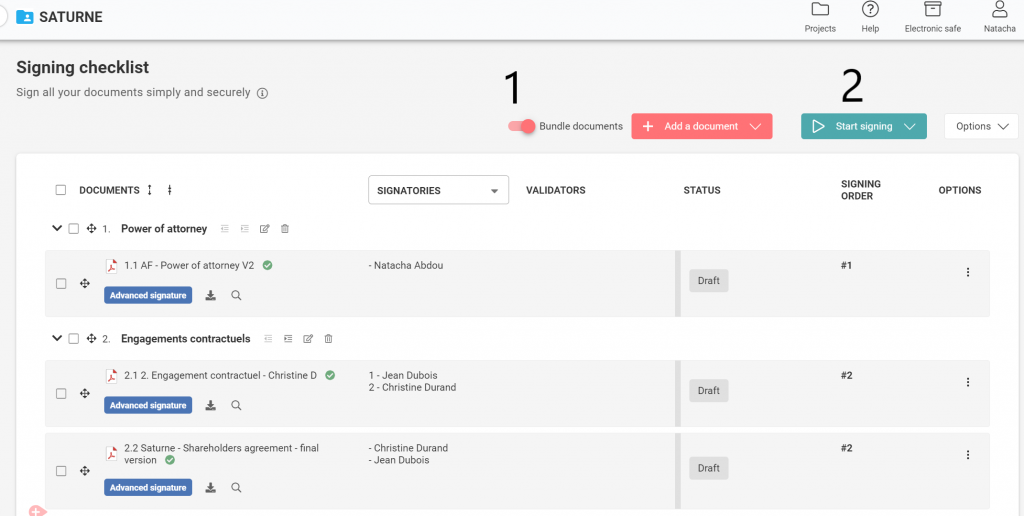
By activating this feature, your signatories will be able to sign up to 15 documents at once.
Your signatories will experience an easier and faster signing experience.
How does it work?
Go on the Signing Checklist page and press the new toggle “Bundle documents” before you start signing.
What are the advantages?
- Your signatories will be able to sign up to 15 documents at once
- Each signatory will receive only 1 sms to validate the signature of multiple documents (advanced electronic signature)
- Keep your documents confidential: Each signatory sees only their documents while signing
Find out more 👇
What will happen if I have both simple and advanced electronic signatures on my signing checklist?
Documents will be bundled by signature type. Documents with a simple electronic signature cannot be in the same group as documents with an advanced electronic signature and vice versa.
What will happen if I define a signing order for signatories?
Documents will not be bundled.